
Beon Live
For phones and screens
v1.0.7AndroidFree
The main app: browse matches, channels, movies, series and news sections from one organized interface.
- Direct APK
- No app store needed
Download code for screens3683909
Get Beon Live on your phone, TV screen and computer, and follow today's matches, channels, movies and series in one simple, organized interface. Plus Beon Player and Beon IPTV.
Available for Android and Windows
Direct files for Android and Windows, and a quick download code for screens.
For phones and screens
The main app: browse matches, channels, movies, series and news sections from one organized interface.
Windows
A Windows program that plays live channels with a built-in video player, running on Windows 7 SP1 up to Windows 11.

The player
A dedicated player for content available within the Beon Live ecosystem on Android devices.
Live IPTV streaming
A high-performance live IPTV app with a built-in player and dedicated accounts that are set up automatically.
Real screenshots from the app. Tap any shot to enlarge it.
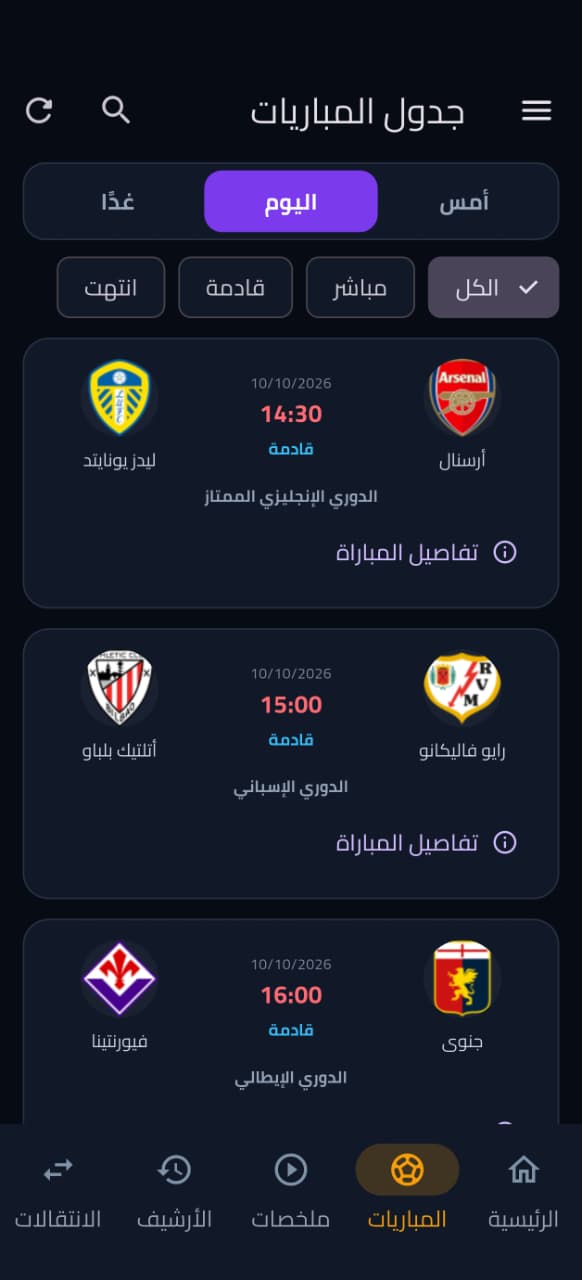
Yesterday, today and tomorrow, with a filter for live, upcoming and finished.
All sections in a sleek, compact Bento grid.
Or a simple list of rows. You choose the look.
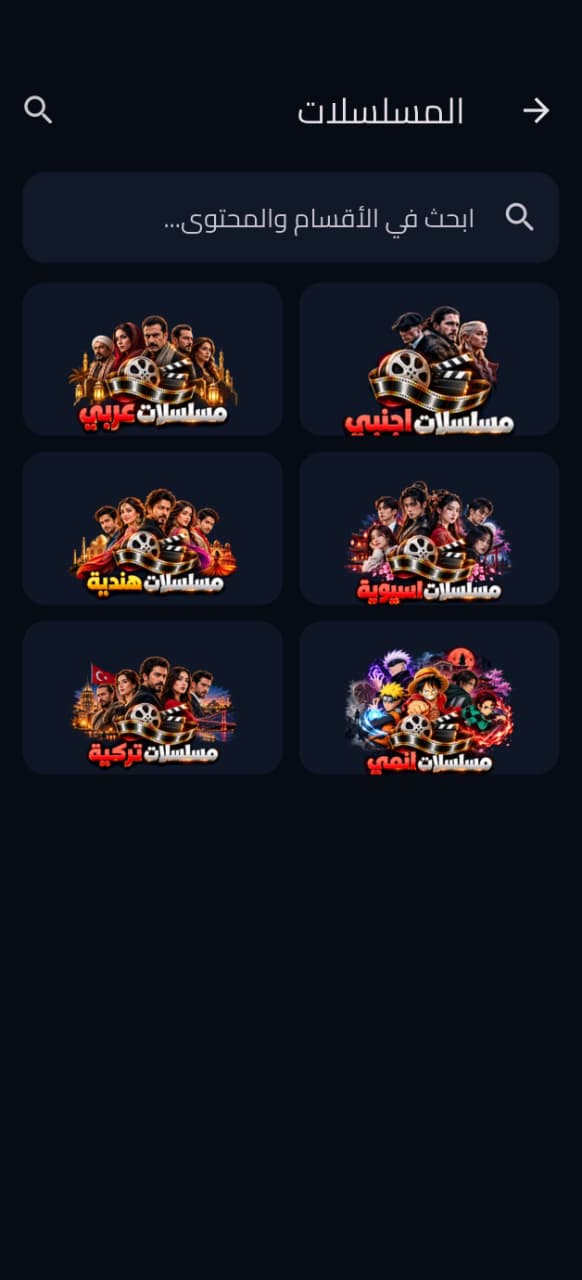
Arabic, foreign, Turkish, Indian, Asian and anime.
Varied sections with quick search through the content.
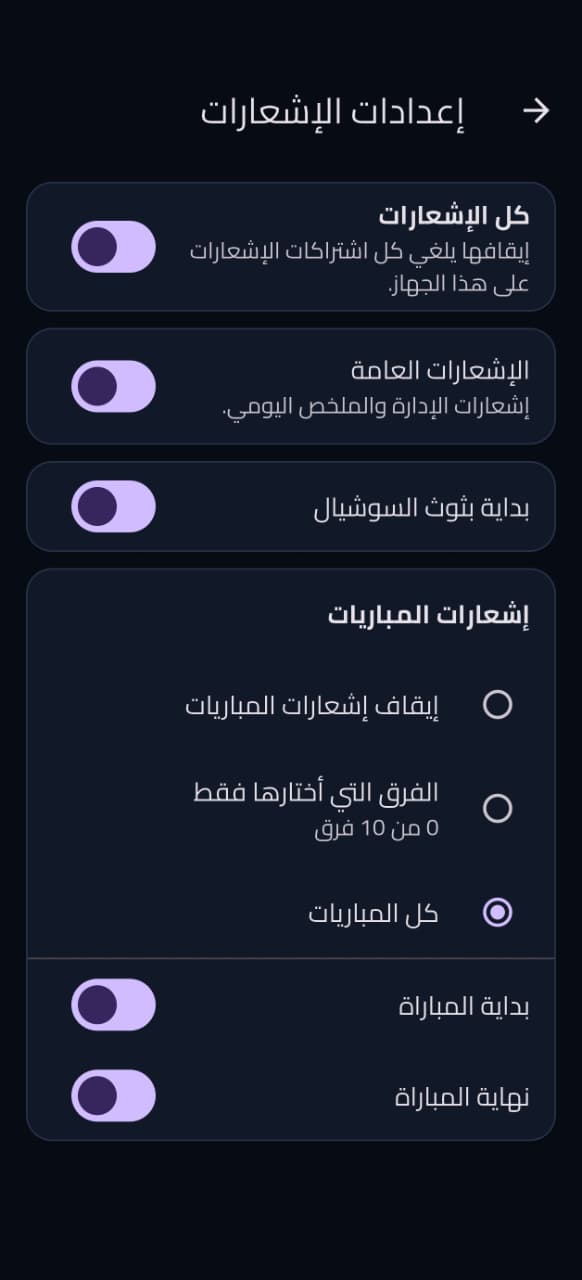
Only your favorite teams, with alerts for match start and end.
Customize the home layout and how a match opens.
Global search, device linking, content requests and update checks.
A radical change in speed, playback and interface. Update now and feel the difference from the first second.
Or from inside the app: side menu → Check for updates
Features designed so you never miss a moment of your favorite match, series or movie
Smooth viewing without buffering, with real-time score updates.
Local and international leagues in one place.
A constantly refreshed library of the latest series and movies in high quality.
A modern design that is easy to use on every device.
Never miss a match or a goal with real-time notifications.
Phone, Android screen and Windows computer: equally easy, with one install file per device.
Beon IPTV and the PC program both include a built-in player for IPTV channels.
Pick Beon Live, Beon Player or Beon IPTV and tap download.
Open the APK file once the download finishes.
Enable “Unknown sources” if you are asked to.
Open the app and start right away.
The file BeonLive-Setup-1.0.0.exe is about 69 MB.
Installs without admin rights and checks for .NET Framework 4.8 (already included in Windows 10 and 11).
The first launch asks for a code. Download it from here and enter it once.
Download the codePick a channel and play it. If the program asks for the code again, get the new one the same way.
Or any file-download app installed on your screen.
Beon Live: 3683909
Beon Player: 8883824
Beon IPTV: 9546501
Allow installation from this source if asked.
And start watching on the big screen.
Quick answers about downloading, installing and the app's content.
Yes. Downloading Beon Live, Beon Player, Beon IPTV and the PC program is free, and they are all direct files with no store.
Beon Live brings sections for matches, channels, movies and series together in one organized interface.
On Android: open the APK file after downloading and allow installation from this source if Android asks, then finish the installation steps. On Windows: run the installer file BeonLive-Setup-1.0.0.exe and complete the wizard.
Yes. Beon Live for Windows is a program with a built-in video player that runs on Windows 7 SP1, 8, 10 and 11 (64-bit). It installs for the current user without admin rights and checks for the presence of .NET Framework 4.8, which is already included in Windows 10 and 11. Download the installer file
The PC program asks for an access code the first time you open it. Click Download access code to reach the latest code file, then enter the code once and it will be saved. The code changes every few days, so if the program asks for it again, get the new one the same way.
Beon IPTV is an Android app for high-performance live IPTV streaming, with a built-in player and dedicated accounts that are set up automatically. You can download it directly as an APK file. Download Beon IPTV
Beon Live is the main app for browsing the matches, channels, movies, series and news sections, while Beon Player is a dedicated player for content available within the Beon Live ecosystem. It can be downloaded as an APK file or from Google Play.
Open a file-download app on your screen (such as Downloader) and enter the download code shown in the download section: 3683909 for Beon Live, 8883824 for Beon Player and 9546501 for Beon IPTV, then install the file.
From inside the app, open the side menu and choose “Check for updates”, or download the latest APK directly from this page and install it over your current version.
Yes. In notification settings you pick only your favorite teams, and you get alerts when a match starts and when it ends.
Download Beon Live now and enjoy matches, channels, movies and series in one place, on your phone, TV screen and computer.